

Trusted by 10,000+ Businesses Around the World
Trusted by 10,000+ Businesses Around the World










99.9%
Extraction accuracy on financial documents
30 sec
Avg processing time per 12-month statement
5
Document types: bank, invoice, receipt, check, tax
1-click
Export to QuickBooks, Xero, Excel, or CSV
See it in action
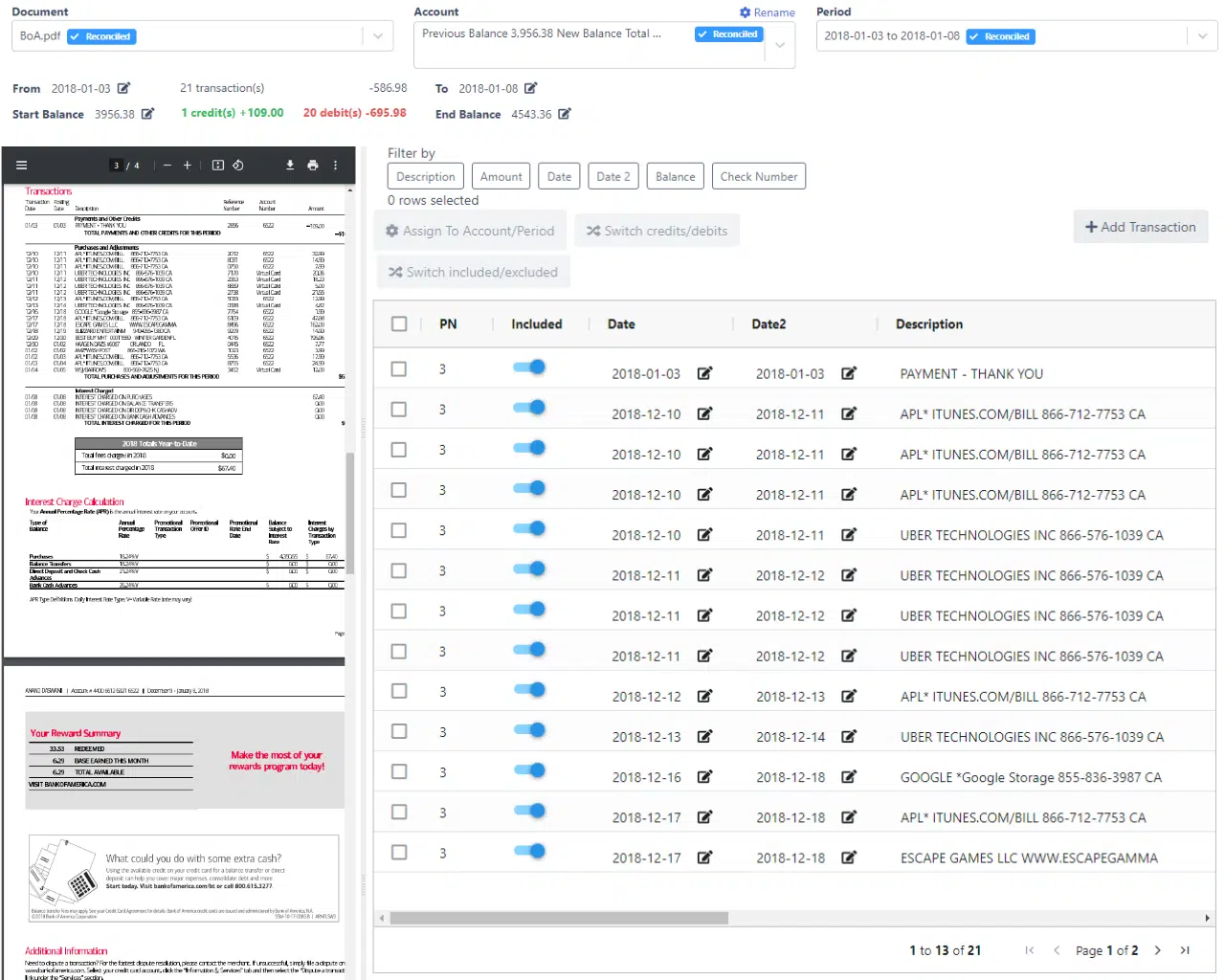
Real DocuClipper UI, what extraction looks like in practice.


Document OCR & Extraction
Purpose-built OCR for every major financial document type, not a generic document scanner retrofitted for finance.
Bank Statement OCR
Extract every transaction, balance, and account detail from any bank statement, any bank, any format, scanned or digital.
Invoice OCR
Capture vendor name, invoice number, line items, tax, and totals from any invoice layout without templates.
Template-Free Invoice Extraction
How DocuClipper reads any vendor invoice on the first upload — no templates, no training, no rules.
Receipt OCR
Full receipt data including merchant, date, line items, tax, tip, and payment method from paper and digital receipts.
Check Image OCR
Extract payee, payer, amount, date, MICR routing/account from check images, batch processing supported.
IRS Tax Form OCR
Field-level extraction for W-2, 1099-NEC, 1099-MISC, 1099-INT, 1099-DIV, and 1040 forms.
Brokerage Statement OCR
Extract holdings, account activity, dividends, and period summary from Fidelity, Schwab, Vanguard, Merrill, E*TRADE, and more.
AI Document Parser
Custom AI templates for non-standard document types, build extraction rules for any structured document.
Financial Analysis
Go beyond extraction. Analyze what the data means with built-in financial intelligence tools.
Cash Flow Analysis
Reconstruct cash flow from bank statements, monthly summaries, trends, income vs. expense breakdowns.
Transaction Categorization
Auto-categorize transactions by merchant, type, or custom rules. Consistent, auditable, and scalable.
Fraud Detection
Detect manipulated statements, unusual patterns, and duplicate transactions across borrower submissions.
Bank Statement Reconciliation
Automatically reconcile extracted totals against statement balances to catch extraction gaps before export.
Automation & Workflow
Replace manual document handling with automated pipelines, from ingestion to export, without writing code.
Google Drive Auto-Ingestion
Watch a Google Drive folder, new documents are automatically processed and exported without manual steps.
API & Webhooks
REST API for full programmatic control: upload, extract, retrieve structured JSON, receive completion webhooks.
Batch Processing
Upload hundreds of documents at once and process them in parallel, no queuing, no manual review per file.
Intelligent Document Processing
End-to-end IDP pipeline: auto-classify documents, extract data, validate, and route to downstream systems.
All features available on every plan
DocuClipper doesn't charge per feature. Every plan includes all document types, all export formats, and all analysis tools, you only pay for pages processed.
Bank statement OCR
Invoice & receipt OCR
Check & tax form extraction
Cash flow analysis
Fraud detection
Transaction categorization
API & webhooks
Google Drive automation
QuickBooks & Xero export
Unlimited users
Discover the Top 3 Features of DocuClipper
Extract Data from All Your Financial Documents with Accuracy, Speed, and Ease
Accurately and Fast Extract Data & Import It Into Your ERP or Accounting Software at Fraction of the Cost
Turn Your Documents into Data with Our Powerful OCR APIs
Automatically Categorize Your Bank Transactions
Accurate Financial Analysis for Any Financial Documents
Eliminate manual data extraction with a specialized OCR software for financial documents.
Try it for Free
Frequently Asked Questions about DocuClipper Features
What Customers Say
Real reviews from accountants, bookkeepers, and finance teams.
“DocuClipper has helped us eliminate several manual data entry processes, saving us a lot of time.”
KR
Kristin Mitchell
Accounting, United States
“It's a complete game-changer. Instead of spending hours combing through statements, we get the data we need almost instantly.”
MA
Matt
Lending, United Kingdom
“DocuClipper allowed us to enhance our advisory services, directly impacting our bottom line.”
SA
Sarah Winship
Accounting, United Kingdom