
Financial services & advisory teams 4.7/5(117+ reviews)Trusted by 10,000+ finance teams
Get clear financial insights from client and business data
Automatically extract, categorize, and analyze data from bank statements and documents, for advisory relationships and owner-operated businesses that need accuracy without a full AP stack.
4.7/5(117+ reviews)Trusted by 10,000+ finance teams14-day free trialNo credit card required
Advisor workflow
Client documents
Categorized transactions
Cash flow insights
Advisor dashboard
Thousands
of client transactions analyzed in minutes
Multi-account
consolidation across banks and card issuers
10K+
Financial professionals using DocuClipper
Used by financial advisors, planners, and growing businesses that need structured data from PDFs
Less ops-heavy than full bookkeeping workflows, less risk-focused than lender underwriting, built for portfolio visibility, planning conversations, and straightforward finance operations.
Analyze thousands of transactions in minutes.
The problem we solve
Client financial data is hard to work with
- •Bank statements arrive as PDFs across multiple accounts and institutions
- •Inconsistent transaction descriptions make categorization manual and error-prone
- •Manual spreadsheets create bottlenecks before client meetings
- •Hard to get a clear cash flow picture without hours of data preparation
Turn client documents into actionable insights
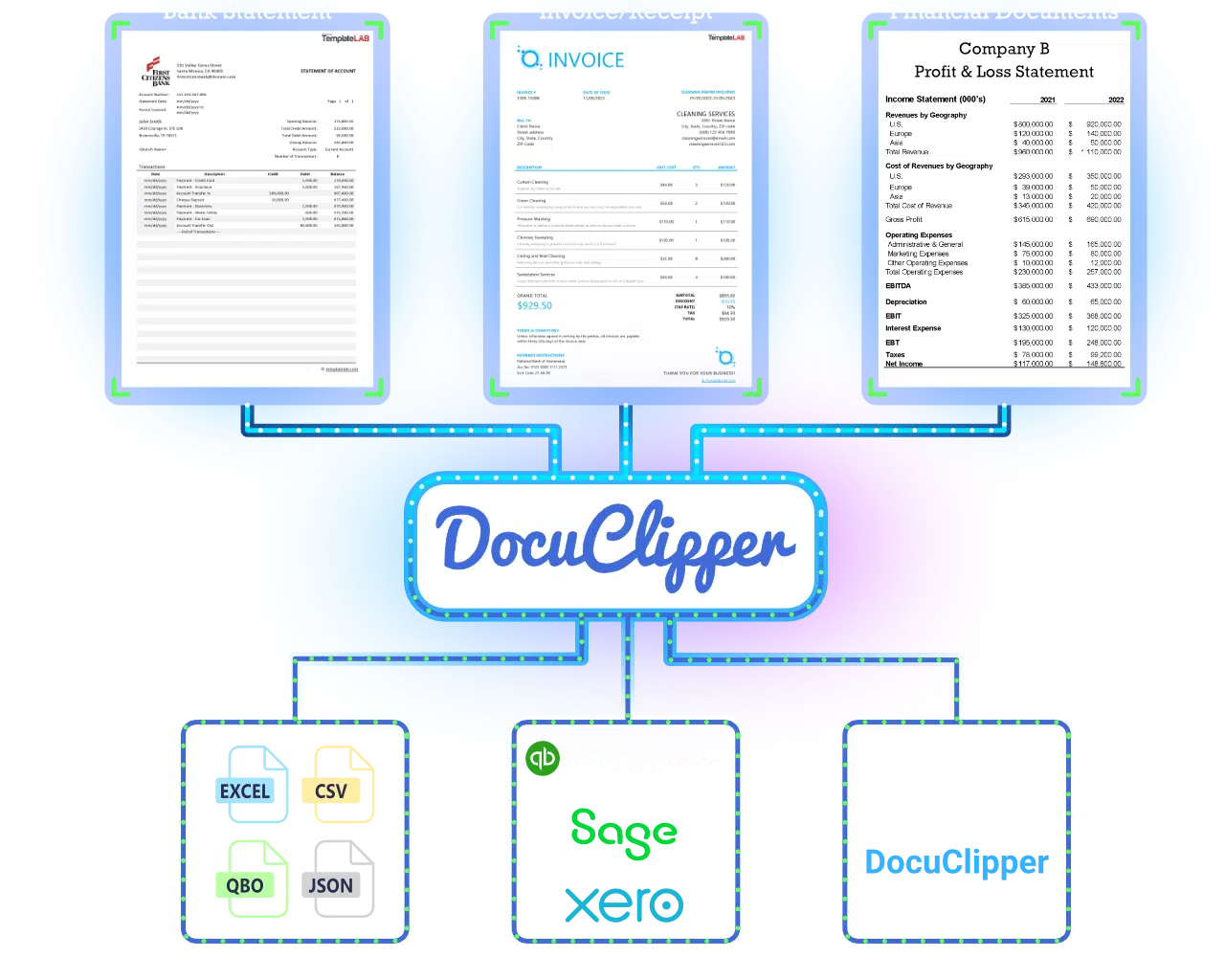
- DocuClipper converts raw financial documents into structured, analyzable data.
- Extract transactions from bank statements automatically.
- Categorize income and expenses consistently.
- Analyze cash flow across accounts.
- Identify patterns in spending and saving.
- Deliver more accurate insights without manual data work.
Core use cases for advisory practices
Portfolio and cash flow visibility without rebuilding your whole back office.
Analyze client cash flow
- Understand income vs expenses at a glance
- Identify trends and patterns across statements
- Provide better, evidence-based recommendations
Categorize client transactions
- Automatically classify spending and income
- Apply consistent rules across households
- Standardize data for reviews and planning
Consolidate multiple accounts
- Combine data from different banks and cards
- Normalize formats and statement layouts
- Get a unified view of client finances
Prepare data for financial planning
- Export clean data to Excel or CSV
- Use structured outputs in planning tools
- Build more accurate projections
Also pull data from credit card statements and automate handoffs with DocuClipper automations.
Built for financial advisor workflows
Automatic extraction, smart categorization, and exports that match how you analyze client data.
Automatic data extraction
Extract transactions from bank and credit card statements without manual retyping.
Smart categorization
Apply rules to classify income and expenses consistently across clients.
Structured data output
Clean, normalized tables that are ready for analysis and reporting.
Batch processing
Handle multiple clients and statement periods in one pass.
Flexible export options
Excel, CSV, API, and webhooks so data fits your planning stack.
Flexible export options
How it works
From client PDFs to categorized data and cash flow clarity, without the spreadsheet grind.
1
Upload client documents
Upload bank statements and other financial records in bulk.
2
Extract and structure data
DocuClipper converts documents into transaction-level tables.
3
Categorize and analyze
Apply categories and spot patterns across accounts.
4
Export or use in your workflow
Use data for analysis, reporting, or financial planning tools.
Benefits for your practice
More time for advice, clearer visibility into client finances, and a repeatable process across your book.
Save time on data preparation
Spend less time cleaning PDFs and spreadsheets before you can advise.
Improve client insights
See cash flow and behavior clearly so recommendations land with confidence.
Standardize financial analysis
Use the same categories and outputs across your book of business.
Scale your practice
Serve more households without adding ops-heavy manual workflows.
Deliver a better client experience
Respond faster with data-driven answers, without the grunt work.
See the workflow
Cash flow views, categorized transactions, and multi-account consolidation, from the documents clients already send you.

What Financial Advisors Say
Trusted by financial planning and advisory teams worldwide.
“DocuClipper makes sure every detail — date, descriptions, and amounts — is captured flawlessly. This app is a life-saver for remote bookkeepers and accountants. I highly recommend it.”
RO
Rostom F.
Founder
“I had a client that handed me over 2,000 pages of bank statements that needed to be caught up and reconciled. DocuClipper helped me get this project done in hours — not weeks.”
RI
Ricky C.
Administrative Pastor
“DocuClipper makes it so easy to convert my clients' PDF statements into usable CSV files. Saves me tons of time ensuring their accounting records are complete when data has been lost or is missing.”
JE
Jennie S.
CPA/Owner
Why financial advisors choose DocuClipper
Compared with manual spreadsheets and generic tools that were not built for advisory workflows.
| Feature | DocuClipper | Manual process | Basic tools |
|---|---|---|---|
| Extract data from PDFs | Limited | ||
| Categorize transactions | |||
| Analyze cash flow | Limited | ||
| Consolidate multiple accounts | Limited | ||
| Export clean data | Limited |
Automate financial document processing for your team. Start your free 14-day trial.
Start free trialFrequently asked questions
Yes. DocuClipper extracts and structures all transactions from PDF bank statements automatically, including date, description, debit, credit, and running balance. It also reads opening and closing balances and flags reconciliation discrepancies before data leaves the system.
Yes. Apply AI-powered categorization rules to classify income, expenses, and transfers consistently. Rules can be customized per client or applied uniformly across all accounts for standardized reporting.
Yes. Process statements from multiple banks and accounts in a single session. DocuClipper consolidates transaction data across institutions so you can analyze cash flow, income patterns, and expense categories in a unified view.
Common signals include overdrafts, NSF fees, irregular income deposits, high cash withdrawals, and unusual balance fluctuations. These are extracted alongside transactions so reviewers can assess risk without re-reading the original documents.
Yes. Export structured transaction data as Excel or CSV for import into planning and reporting tools. The API enables automated extraction and delivery for platforms that ingest financial data programmatically.
Yes. DocuClipper's multi-client model lets you process documents for dozens of clients in separate projects, apply consistent extraction rules, and export client-specific outputs without mixing data. Batch processing scales across large client portfolios without slowing down.