
Trusted by 10,000+ businesses 4.7/5(117+ reviews)Trusted by 10,000+ finance teams
The Most Trusted Credit Card Statement Converter. Leader in Accuracy, Speed, and Compatibility.
Automatically convert any PDF or scanned credit card statement to Excel, CSV, and QuickBooks with market-leading accuracy.
4.7/5(117+ reviews)Trusted by 10,000+ finance teams14-day free trialNo credit card required
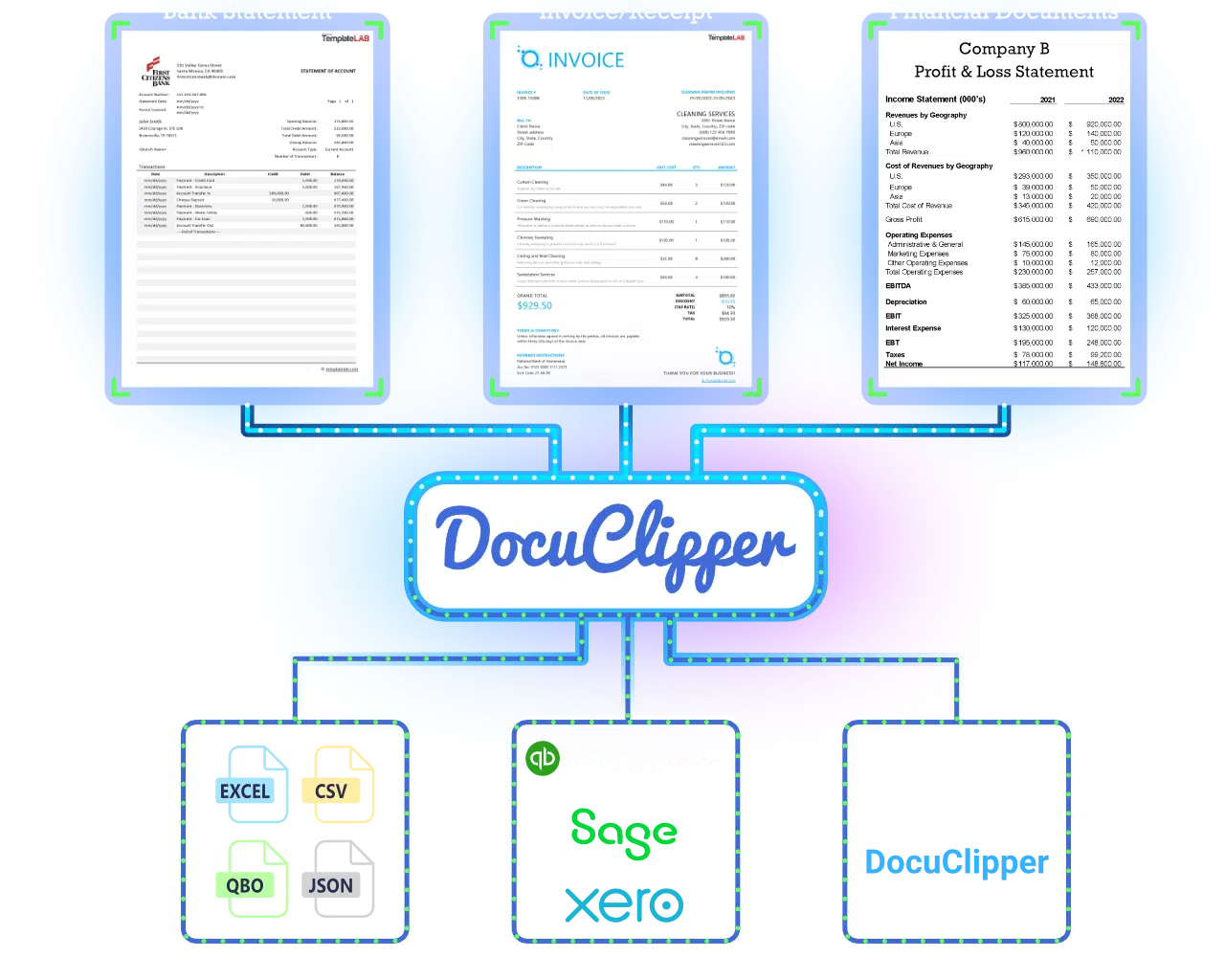
Drag & Drop Credit Card Statement Here
or
Browse FilesProcessing multiple card statements or need batch workflows? Sign up to DocuClipper
Last updated:
Trusted by 10,000+ Businesses Around the World
Discover Why DocuClipper is the Leading Credit Card Statement Converter
99.9% Accuracy
Accurately extract data from all major credit card statements.
Instant Conversions
Convert multiple credit card statements from PDF to Excel in seconds.
Fully Automatic Extraction
AI-powered extraction automatically identifies and processes all transaction data.
Expert Support
Dedicated support team to help with your credit card statement workflows.
#1 Credit Card Statement Converter
Purpose-built for credit card statement extraction and review.
Specialized Algorithms
Optimized for messy, scanned, and multi-page credit card statements.
Extract Data From Your Credit Card Statements In 3 Simple Steps
1
Upload your credit card statements
Drag and drop, forward via email, or automate via API. Works with all major banks and issuers.
2
Accurate processing
Our AI engine automatically extracts transactions, balances, and fees and reconciles totals for accuracy.
3
Download or export
Export to Excel, CSV, or directly into accounting software like QuickBooks or Xero.
99.6%
Accuracy
80%
Faster than manual
10k+
Businesses
Works With Every Major Credit Card Statement
The same engine that processes thousands of bank statement layouts handles each issuer's credit card statement format — including the awkward multi-card consolidated statements, the back-page activity sections, and the foreign-currency line items.
American Express
Multi-card consolidated statements split into per-cardmember sheets. Foreign transaction fees, exchange rates, and Membership Rewards points kept on their own rows.
Chase
Sapphire, Freedom, Ink Business, and co-brand cards. Categories preserved, payment + interest charges separated from purchases, and points/cash-back lines kept distinct from transaction lines.
Capital One
Venture, Quicksilver, Savor, and Spark Business. Travel partner credits, statement credits, and reward redemptions extracted cleanly without merging into purchase rows.
Citi
Double Cash, Custom Cash, Premier, and AAdvantage cards. Handles the dense two-column layout and pulls cash advances + balance transfers into separate categories.
Discover
It Cash Back, It Miles, and business cards. 5% category rotations extracted onto category-specific rows so you can reconcile rewards against the printed statement.
Bank of America, Wells Fargo, US Bank
Customized Cash Rewards, Active Cash, Cash+ and similar. Multi-page statements with rewards summaries, foreign transactions, and finance charge breakdowns all parsed.
Don't see your issuer? DocuClipper is template-free — the AI adapts to any credit card statement layout, US or international, without setup.
See Why Finance Professionals Love DocuClipper
“DocuClipper has helped us eliminate several manual data entry processes, saving us a lot of time.”
KR
Kristin Mitchell
Accounting, United States
“It's a complete game-changer. Instead of spending hours combing through statements, we get the data we need almost instantly.”
MA
Matt
Lending, United Kingdom
“DocuClipper allowed us to enhance our advisory services, directly impacting our bottom line.”
SA
Sarah Winship
Accounting, United Kingdom
Why Choose a Specialized Credit Card Statement Converter?
Specialized vs generic converters
| Feature | Credit Card Statement Converter | Generic PDF Converter |
|---|---|---|
| Accuracy | Highest accuracy for complex credit card statements | Frequent errors, missing or duplicated transactions |
| Speed | Instant PDF to Excel conversion | Slow, manual reformatting and cleanup |
| Advanced features | Automatic reconciliation, multi-card and multi-period support | Basic text extraction only |
| Integration | QuickBooks, Xero, and other accounting platforms | Limited or no accounting integrations |
| Export formats | Excel, CSV, QBO, OFX | Limited formats, hard to import into accounting tools |
Extract credit card statement data automatically. Start your free 14-day trial.
Start free trialFAQs about Credit Card Statement Converter & Data Extraction
DocuClipper combines industry-leading accuracy, fast processing, and support for virtually all credit card formats. It is purpose-built for finance teams, accountants, and investigators who need reliable data for reconciliation, analysis, and reporting.
Yes. Simply upload your credit card statement PDF and DocuClipper converts it to a clean, structured Excel file with date, description, and amount columns. Most statements convert in under 10 seconds.
DocuClipper's AI detects all transaction lines, dates, descriptions, and amounts regardless of the issuer's layout. It validates the extracted totals against the statement's closing balance and flags any discrepancies before you export.
Yes. Export as a QBO file for QuickBooks or use the direct Xero integration to push transactions into your credit card account. You can also export to CSV for any other accounting system.
Yes. DocuClipper supports credit card statements from all major US issuers (Amex, Chase, Bank of America, Capital One, Citi, Discover, Wells Fargo), UK cards, Canadian cards, and international issuers. No configuration needed.
Yes. Batch processing is included. Upload statements from multiple cards and multiple months at once and download all results as a single consolidated file or as separate exports per card.
Yes. DocuClipper uses bank-grade encryption, strict access controls, and SOC 2–aligned practices. Your documents are processed securely and can be automatically deleted after processing based on your retention settings.
DocuClipper's OCR layer handles scanned statements the same as digital PDFs. Upload the scanned image or PDF and the AI extracts all transaction data, even from lower-quality scans.
Related statement & card tools
Extract, convert, and analyze other financial statements with DocuClipper.
Credit card statement to Excel
Export credit card transactions to Excel for categorization and review.
Bank statement converter
Convert bank statements from thousands of banks with the same engine.
Bank statement to Excel
Turn bank statement PDFs into clean Excel spreadsheets.
Bank statement to QBO
Generate QuickBooks-ready QBO files from any bank statement.
Transaction categorization
Auto-categorize extracted card or bank transactions into GL accounts.
Expense management
Close the loop from card statement to receipt to expense report.